LinkedIn Profile Photo Guide: Professional Headshot Tips for Career Success
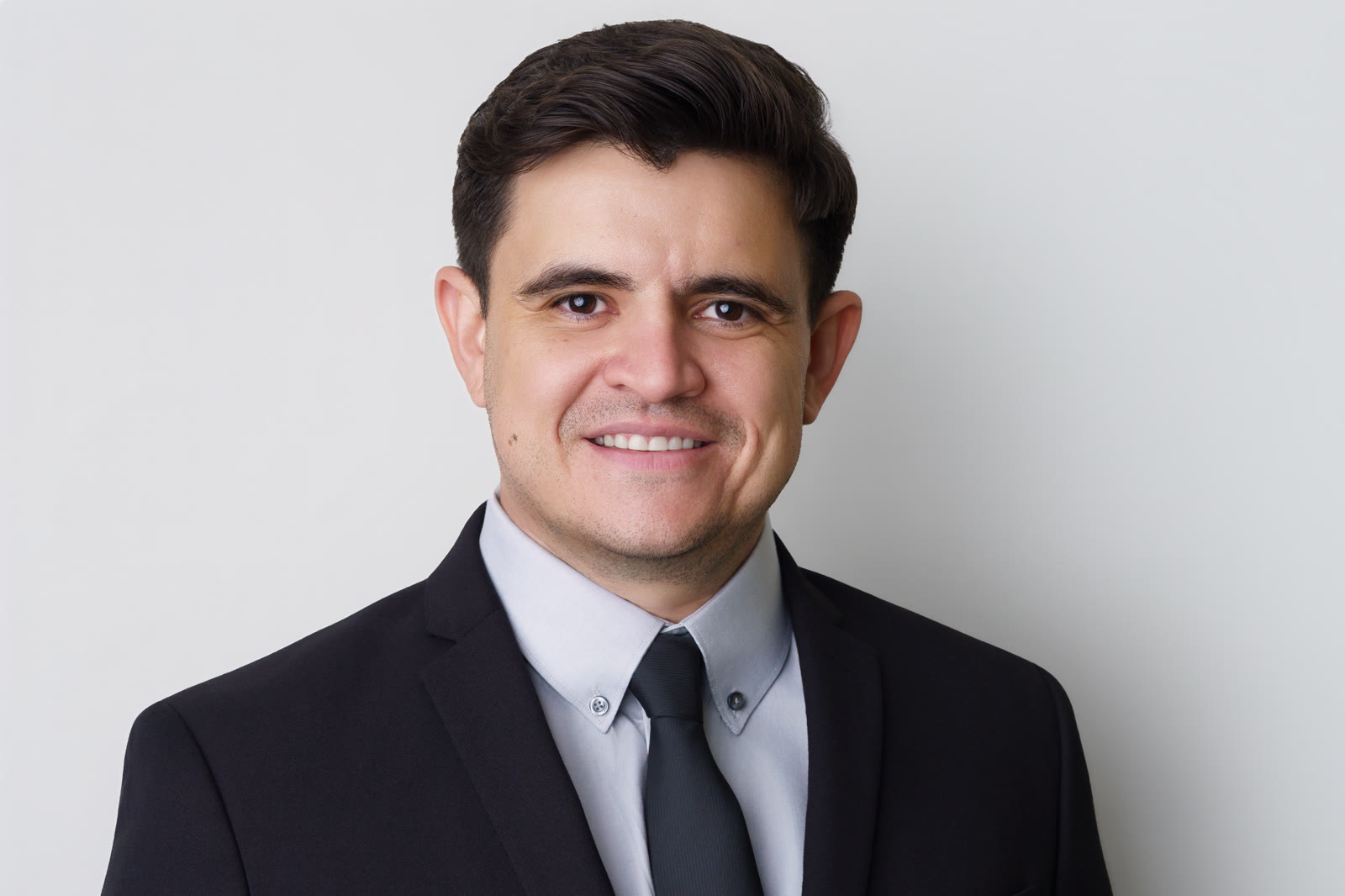
Your LinkedIn profile photo is one of the most important elements of your professional brand on the platform. It's the first thing people see when they view your profile, and it significantly impacts whether they choose to connect with you, click through to your website, or reach out about opportunities.
Why Your LinkedIn Profile Photo Matters
LinkedIn is a professional networking platform where first impressions matter. Unlike a casual social media photo, your LinkedIn profile photo is your professional brand in image form. It's used to:
- Make a strong first impression when someone views your profile
- Stand out in connection requests and search results
- Build credibility and trust with your network
- Increase profile visibility and engagement
- Represent you professionally in recruiting searches
- Support your personal branding and career goals
A professional, high-quality LinkedIn profile photo directly impacts your career success on the platform.
The Ideal LinkedIn Profile Photo Specifications
Technical Requirements
LinkedIn has specific technical requirements for profile photos:
- File format: JPG, GIF, or PNG
- Minimum size: 400 x 400 pixels
- Maximum size: 20 MB
- Aspect ratio: Square (1:1) is best for full visibility
- Background: Will be displayed in a circular frame
Composition Recommendations
For best results on LinkedIn:
- Head and shoulders only: Crop to show head, neck, and shoulders
- Proper framing: Leave some space above your head and around shoulders
- Face prominence: Your face should be clearly visible and fill most of the frame
- Direct eye contact: Look straight at the camera with a confident, professional expression
- Natural expression: Smile naturally—avoid looking too serious or overly casual
What Makes a Great LinkedIn Profile Photo
Professional Lighting
The most common mistake in DIY LinkedIn photos is poor lighting. Professional lighting:
- Flatters your skin tone and facial features
- Creates clarity and definition in your face
- Eliminates harsh shadows or unflattering angles
- Conveys professionalism and attention to detail
Avoid harsh overhead lighting, natural window light from the side, or bright outdoor sun that creates shadows on your face.
Simple, Clean Background
Your background should not compete with your image:
- Neutral colors: White, light gray, or soft blue work best
- Blurred backgrounds: Professional portrait lighting naturally blurs the background
- No busy patterns: Avoid distracting backgrounds that compete with your face
- Professional setting: Your background implies credibility and professionalism
Professional Clothing
Choose clothing appropriate for your industry:
- Business formal: Blazer, button-down shirt, or professional dress
- Business casual: Collared shirt, blouse, or sweater
- Industry appropriate: Wear what you'd wear to meet a client or interviewer
- Solid colors: Solid colors or subtle patterns work better than busy prints
- Good fit: Clothing should fit well and appear professional
Current and Authentic
Your LinkedIn photo should:
- Be recent: Within the last 6-12 months
- Look like you: Professional retouching is fine, but you should look like yourself in person
- Represent your best self: Polished, professional, and authentic
- Convey approachability: A warm expression and direct eye contact build trust
LinkedIn Profile Photo Do's and Don'ts
DO:
- ✓ Use professional lighting
- ✓ Make direct eye contact with the camera
- ✓ Smile naturally and warmly
- ✓ Wear business-appropriate clothing
- ✓ Use a simple, neutral background
- ✓ Keep your photo recent (within 6-12 months)
- ✓ Get professional retouching for a polished look
- ✓ Use a square crop that fills your face prominently
DON'T:
- ✗ Use a casual selfie or poor-quality photo
- ✗ Include friends or other people in the photo
- ✗ Use a filtered or heavily edited photo
- ✗ Wear sunglasses or hats
- ✗ Use overly busy backgrounds
- ✗ Use photos from casual events or parties
- ✗ Choose an outdated photo (more than 1-2 years old)
- ✗ Use a professional photo from an outdoor setting that looks unprofessional
How Professional Headshot Photography Helps
The easiest way to get a great LinkedIn profile photo is to invest in professional headshot photography. Professional headshot photographers understand LinkedIn's requirements and create images optimized specifically for professional networking.
Benefits of Professional LinkedIn Headshots
- Professional lighting: Studio lighting creates flattering, credible images
- Expert direction: Photographers guide you toward confident, natural expressions
- Multiple options: You'll have several photos to choose from for different contexts
- Professional retouching: Subtle enhancement while maintaining authenticity
- Properly formatted files: Optimized for LinkedIn's specifications
- Commercial rights: Use your photos across all professional platforms
Professional headshot photography eliminates the guesswork and ensures your LinkedIn photo makes a strong, positive impression.
DIY Tips If You Can't Get Professional Photos (Yet)
If you're not ready for professional photography, here are some DIY tips:
Lighting
- Shoot near a window with natural light from the side (not backlighting)
- Avoid harsh direct sunlight
- Shoot on an overcast day for softer, more flattering light
- Use a white reflector or poster board to bounce light onto your face
Background
- Use a plain white, light gray, or soft blue background
- A plain wall with soft lighting works well
- Blur the background by using portrait mode on your phone camera
Composition
- Use a tripod or have someone hold the camera
- Position yourself at eye level, not looking down or up
- Leave space above your head and around shoulders
- Make direct eye contact with the camera
Clothing
- Wear business-appropriate clothing in solid colors
- Choose colors that complement your skin tone
- Ensure your clothing fits well and looks professional
Post-Processing
- Use free editing tools like Canva or PicMonkey for minor adjustments
- Adjust brightness and contrast minimally
- Avoid heavy filters or obvious editing
Updating Your LinkedIn Profile Photo
LinkedIn allows you to update your profile photo anytime. Best practices for updates:
- Update every 1-2 years: Keep your photo current and reflective of your appearance
- Match other professional photos: If you've gotten professional headshots, use a matching image across all platforms
- Monitor profile performance: Track how profile views change when you update your photo
- Test different expressions: If you have multiple professional photos, try different looks to see which generates more engagement
Professional Headshot Photography for LinkedIn Success
If you're serious about maximizing your LinkedIn presence, professional headshot photography is a worthwhile investment. Professional headshots are optimized for LinkedIn and create images that increase profile visibility, build credibility, and generate more connection requests and career opportunities.
Whether you're building your personal brand as an entrepreneur, looking for new career opportunities, or establishing yourself as a thought leader in your industry, a professional LinkedIn profile photo makes a measurable difference.
Final Thoughts
Your LinkedIn profile photo is your professional brand in image form. It impacts how you're perceived, how often your profile is viewed, and how many connection requests you receive. By investing in a professional headshot optimized for LinkedIn, you'll maximize your presence on the platform and improve your career opportunities.
A great LinkedIn profile photo works 24/7 to make positive first impressions, build credibility, and open doors. Make sure yours is working for you.
Get Your Professional LinkedIn HeadshotLinkedIn Headshots and Search Visibility
A professional LinkedIn photo can also support search visibility inside the platform. Recruiters, clients, and partners often scan profiles quickly, and a clear headshot can make your name feel more trustworthy in search results, comments, messages, and connection requests. The image should be current, well lit, and consistent with your industry. For executives and founders, a more polished portrait can support authority. For actors, speakers, and creative professionals, expression and personality matter more. The goal is to create a headshot that feels like the person someone expects to meet in a real conversation.
What Clients Should Know Before Booking
A professional headshot session works best when it is planned around use, audience, and brand position. A corporate leader may need an image that feels confident and approachable on LinkedIn, a company website, a speaker bio, and press materials. An actor may need a headshot that communicates casting range without feeling overworked. A pageantry client may need clean beauty lighting, refined posture, and a polished final image that still feels like the person in front of the camera. Those differences matter because the strongest portrait is not simply the most dramatic one; it is the image that supports the next step in the client’s professional life.
Before every session, it helps to think about wardrobe, color, neckline, grooming, background, and the emotional read of the expression. Neutral colors, tailored layers, and simple textures usually photograph better than busy patterns. For teams, consistency becomes even more important. Lighting, crop, background, color, and retouching should feel unified so the final gallery looks like one brand system rather than separate portraits collected over time. That level of consistency is what gives a company page, proposal deck, or leadership roster a more premium feel.
Retouching should support credibility, not erase identity. The goal is to control distractions, refine skin tone, polish flyaway hair, and keep attention on expression. A good headshot should hold up in small digital thumbnails and still feel refined when used larger in print or media. That is why professional direction matters during the session. The best results usually come from small adjustments: chin position, shoulder angle, eye engagement, breath, posture, and micro-expression. When those details are handled with care, the final image feels effortless even though the process behind it is highly intentional.